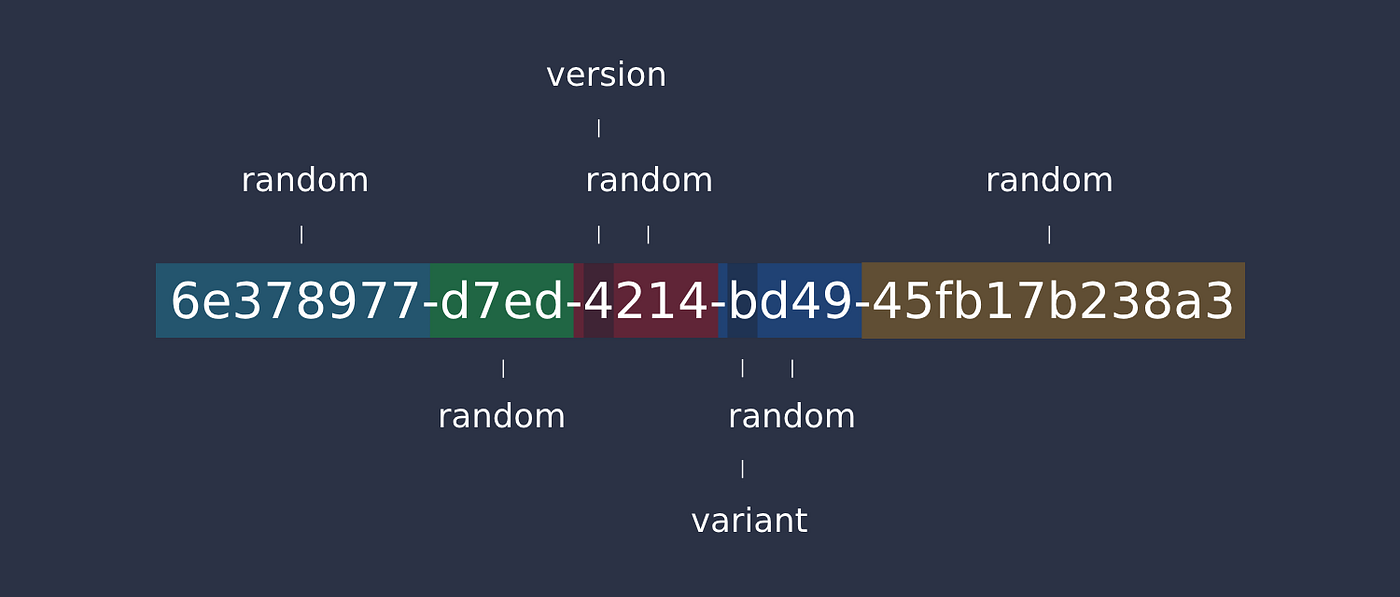
UUID Complete Guide: Generate, Validate & Use Unique Identifiers
You added a new user to your database. You gave them ID 12345. Two seconds later, another server added a different user with the same ID.
Your database just exploded.
Or maybe you’re using auto-incrementing integers and someone just scraped your entire user base by iterating from 1 to 999999.
Your security team is not happy.
Or perhaps you’re building a distributed system where three different services need to create records simultaneously without coordinating IDs.
Auto-increment isn’t going to cut it.
This is where UUIDs save the day. But here’s the problem: most developers just slap UUID.randomUUID() everywhere and call it done. Then they wonder why their database performance tanked, why v1 UUIDs are leaking MAC addresses, or why their “unique” identifiers somehow collided.
UUIDs seem simple—just random strings, right? Wrong. There are five different versions, each designed for specific use cases. Storing them wrong can kill your query performance. Using the wrong version can create privacy leaks. And there are newer alternatives like ULID that might be better for your needs.
This guide cuts through the confusion. You’ll learn exactly which UUID version to use, how to generate them in any language, how to store them efficiently in databases, how to validate them properly, and when alternatives like ULID or NanoID make more sense.
By the end, you’ll understand the collision probability math, know how to optimize UUID indexes, and have production-ready code for every major language and framework.
Quick Answer: UUID Essentials
Don’t have time for 7,000 words? Here’s what you need to know:
- What UUIDs are: 128-bit universally unique identifiers that can be generated independently without coordination
- Most common version: UUID v4 (random) - use this unless you have a specific reason not to
- UUID vs GUID: Same thing, different names (GUID is Microsoft’s term)
- Key benefit: Generate unique IDs across distributed systems without a central authority
- Common pitfall: Using v1 (leaks MAC address and timestamp) instead of v4
- Storage tip: Store as BINARY(16) in databases, not VARCHAR(36)
- Quick tool: Use our UUID Generator to create and validate UUIDs instantly
- Collision risk: Astronomically low - you’re more likely to win the lottery twice
Still here? Let’s master UUIDs.
What is a UUID?
A UUID (Universally Unique Identifier) is a 128-bit number designed to be unique across all computers and all time—no central coordination required.
UUID Format and Structure
Standard UUID format:
550e8400-e29b-41d4-a716-446655440000
Breaking it down:
550e8400 - e29b - 41d4 - a716 - 446655440000
   ↓        ↓      ↓      ↓          ↓
time-low  time  time  clock    node
          mid   hi    seq
The format:
- Total length: 36 characters (32 hex digits + 4 hyphens)
- Without hyphens: 32 hexadecimal characters
- Bits: 128 bits of data
- Representation: Usually lowercase, but case-insensitive
Example variations:
// Standard format (RFC 4122)
"550e8400-e29b-41d4-a716-446655440000"

// Without hyphens
"550e8400e29b41d4a716446655440000"

// Uppercase (also valid)
"550E8400-E29B-41D4-A716-446655440000"

// URN format
"urn:uuid:550e8400-e29b-41d4-a716-446655440000"
Why Developers Use UUIDs
Problem #1: Auto-increment fails in distributed systems
-- Server A creates user
INSERT INTO users VALUES (1, 'John');

-- Server B creates user at the same time
INSERT INTO users VALUES (1, 'Jane');  -- ❌ Collision!
Solution with UUID:
-- Server A
INSERT INTO users VALUES ('550e8400-e29b-41d4-a716-446655440000', 'John');

-- Server B (simultaneously)
INSERT INTO users VALUES ('7c9e6679-7425-40de-944b-e07fc1f90ae7', 'Jane');
-- ✅ No collision!
Problem #2: Predictable IDs are a security risk
User profile: https://example.com/users/12345
            → https://example.com/users/12346  // Easy to guess!
            → https://example.com/users/12347
Solution:
User profile: https://example.com/users/550e8400-e29b-41d4-a716-446655440000
            → https://example.com/users/...?  // Impossible to guess next ID
Problem #3: ID generation requires database roundtrip
// Create user - must wait for database to assign ID
const user = await db.insert({name: 'John'});
const userId = user.id;  // Only available after insert

// Can't reference this user until after insert completes
Solution:
// Generate UUID immediately
const userId = generateUUID();

// Use it before database insert
await createUserFolder(userId);
await sendWelcomeEmail(userId);
await db.insert({id: userId, name: 'John'});  // Insert with known ID
Key benefits:
- No coordination needed - Every system can generate IDs independently
- Merge-friendly - Combine databases from different sources without ID conflicts
- Privacy-preserving - Can’t enumerate resources (unlike sequential IDs)
- Offline generation - Create IDs without database connection
- Distributed systems - Perfect for microservices, replication, sharding
UUID vs GUID: What’s the Difference?
Short answer: They’re the same thing.
| Term | Used By | Notes |
|---|---|---|
| UUID | Everyone else, RFC 4122 standard | Universal standard |
| GUID | Microsoft, .NET, Windows | Globally Unique Identifier |
Format comparison:
// .NET GUID
Guid id = Guid.NewGuid();
// 550e8400-e29b-41d4-a716-446655440000

// Same as UUID in other languages
const uuid = crypto.randomUUID();
// 550e8400-e29b-41d4-a716-446655440000
The only technical difference is byte ordering in some Microsoft implementations, but modern systems handle this automatically.
Use “UUID” in code and documentation - it’s the universal standard term.
Tools: Generate UUIDs instantly with our UUID Generator and validate formats with our UUID Validator.
UUID Versions: v1, v4, v5 (Which to Use When)
There are five UUID versions, but you’ll mainly use three. Each has specific trade-offs.
UUID Version 1: Timestamp-Based
How it works:
- Combines current timestamp + MAC address
- Guarantees uniqueness through hardware address
- Sortable by creation time
Generation example:
// Node.js with uuid library
const { v1: uuidv1 } = require('uuid');

const id = uuidv1();
// 6ba7b810-9dad-11d1-80b4-00c04fd430c8
//          ↑
//    Timestamp embedded here
Advantages:
- ✅ Naturally sortable by time
- ✅ Guaranteed unique (includes MAC address)
- ✅ Can extract timestamp
Disadvantages:
- ❌ Privacy leak - Exposes MAC address
- ❌ Security risk - Reveals when record was created
- ❌ Requires system clock
- ❌ Not truly random
Real-world problem:
const uuid = uuidv1();
// 6ba7b810-9dad-11d1-80b4-00c04fd430c8
//                           ↑
// This is your MAC address - anyone can see it!

// Attacker can:
// 1. Identify your hardware
// 2. Track when you created records
// 3. Correlate activity across services
When to use v1:
- 🟢 Internal systems where MAC address doesn’t matter
- 🟢 When you need time-ordered IDs
- 🔴 Never for public-facing IDs
- 🔴 Never for sensitive data
UUID Version 4: Random (Most Common)
How it works:
- 122 bits of randomness
- 6 bits for version/variant info
- Statistically guaranteed to be unique
Generation example:
// JavaScript (modern browsers & Node.js 15+)
const uuid = crypto.randomUUID();
// 7c9e6679-7425-40de-944b-e07fc1f90ae7

// Node.js with uuid library
const { v4: uuidv4 } = require('uuid');
const id = uuidv4();
// 9b1deb4d-3b7d-4bad-9bdd-2b0d7b3dcb6d
Advantages:
- ✅ No privacy concerns - Completely random
- ✅ Simple - Just random numbers
- ✅ Stateless - No system state needed
- ✅ Secure - Can’t predict next ID
Disadvantages:
- ❌ Not sortable
- ❌ Slightly larger collision probability (still astronomically low)
- ❌ Random database index performance
Collision probability:
To have a 50% chance of collision, you need to generate:
2.71 quintillion (2.71 × 10^18) UUIDs

For perspective:
- If you generate 1 billion UUIDs per second
- It would take 85 years to have 50% collision chance
When to use v4:
- 🟢 Default choice - Use this unless you have a specific reason not to
- 🟢 Public-facing identifiers
- 🟢 User IDs, session IDs, API keys
- 🟢 Distributed systems
- 🟢 When privacy matters
UUID Version 5: Hash-Based (Deterministic)
How it works:
- SHA-1 hash of namespace + name
- Same input always produces same UUID
- Useful for generating consistent IDs
Generation example:
const { v5: uuidv5 } = require('uuid');

// Predefined namespaces
const DNS_NAMESPACE = '6ba7b810-9dad-11d1-80b4-00c04fd430c8';
const URL_NAMESPACE = '6ba7b814-9dad-11d1-80b4-00c04fd430c8';

// Always generates the same UUID for the same input
const id1 = uuidv5('example.com', DNS_NAMESPACE);
// 9073926b-929f-31c2-abc9-fad77ae3e8eb

const id2 = uuidv5('example.com', DNS_NAMESPACE);
// 9073926b-929f-31c2-abc9-fad77ae3e8eb  (same!)
Use cases:
// Generate consistent IDs for external resources
function getResourceId(url) {
  return uuidv5(url, URL_NAMESPACE);
}

getResourceId('https://example.com/page');
// Always returns: a3bb189e-8bf9-3888-9912-ace4e6543002

// Perfect for caching, deduplication
const cache = new Map();
const resourceId = getResourceId(url);
if (cache.has(resourceId)) {
  return cache.get(resourceId);
}
Advantages:
- ✅ Deterministic - Same input = same UUID
- ✅ Perfect for deduplication
- ✅ Reproducible across systems
- ✅ No state required
Disadvantages:
- ❌ Predictable (if namespace is known)
- ❌ Requires namespace UUID
- ❌ Not suitable for secrets
When to use v5:
- 🟢 Generating IDs from existing data (URLs, email addresses)
- 🟢 Deduplication systems
- 🟢 Content-addressable storage
- 🟢 When you need reproducible IDs
- 🔴 Never for security-sensitive IDs
Version Comparison Table
| Version | Uniqueness | Privacy | Sortable | Use Case |
|---|---|---|---|---|
| v1 | Hardware + time | ❌ Leaks MAC | ✅ Yes | Internal time-ordered IDs |
| v4 | Random | ✅ Safe | ❌ No | Default - use this |
| v5 | Hash-based | ⚠️ Depends | ❌ No | Deterministic IDs from data |
Decision flowchart:
Need deterministic IDs from data?
  ↓ Yes → Use v5
  ↓ No
Need time-ordered IDs?
  ↓ Yes → Use ULID (better than v1)
  ↓ No
→ Use v4 (default choice)
Tools: Compare UUID versions with our UUID Generator which supports all versions.
UUID vs GUID vs Auto-Increment IDs
Choosing the right ID strategy impacts performance, scalability, and security. Here’s the real comparison.
UUID vs Auto-Increment: The Trade-offs
Auto-increment IDs:
CREATE TABLE users (
  id BIGINT AUTO_INCREMENT PRIMARY KEY,
  name VARCHAR(100)
);

INSERT INTO users (name) VALUES ('John');  -- Gets id = 1
INSERT INTO users (name) VALUES ('Jane');  -- Gets id = 2
UUID IDs:
CREATE TABLE users (
  id BINARY(16) PRIMARY KEY,
  name VARCHAR(100)
);

INSERT INTO users VALUES (UUID_TO_BIN('550e8400-e29b-41d4-a716-446655440000'), 'John');
INSERT INTO users VALUES (UUID_TO_BIN('7c9e6679-7425-40de-944b-e07fc1f90ae7'), 'Jane');
Complete Comparison Table
| Feature | Auto-Increment | UUID |
|---|---|---|
| Generation | Database-dependent | Application-generated |
| Uniqueness | Per table | Globally unique |
| Size | 4-8 bytes | 16 bytes |
| Predictability | Fully predictable | Unpredictable |
| Distributed systems | Requires coordination | No coordination |
| Merge databases | ID conflicts | No conflicts |
| Index performance | Excellent (sequential) | Good (with optimization) |
| URL length | Short /users/12345 |
Long /users/550e8400... |
| Privacy | ❌ Exposes count | ✅ Hides count |
| Offline generation | ❌ Needs database | ✅ Works offline |
When Auto-Increment Wins
Use auto-increment when:
- Single database - No distribution needed
- Public enumeration is OK - Don’t care if users can see record count
- Space matters - 8 bytes vs 16 bytes
- Join performance critical - Smaller indexes = faster joins
- Human-readable IDs needed - “Ticket #12345”
Example:
-- Internal audit logs
CREATE TABLE audit_logs (
  id BIGINT AUTO_INCREMENT PRIMARY KEY,
  event_type VARCHAR(50),
  created_at TIMESTAMP
);
-- Perfect: Sequential, fast, no privacy concerns
When UUIDs Win
Use UUIDs when:
- Distributed systems - Multiple databases/services
- Microservices - Each service generates IDs independently
- Privacy matters - Don’t want to expose record counts
- Offline-first - Mobile apps that sync later
- Merging data - Combining data from multiple sources
- Sharding - Distributing data across multiple databases
Example:
// Microservices architecture
// Order service generates UUID
const orderId = crypto.randomUUID();
await orderService.create({id: orderId, ...});

// Payment service uses same UUID (no coordination needed)
await paymentService.create({orderId: orderId, ...});

// Shipping service uses same UUID
await shippingService.create({orderId: orderId, ...});
Hybrid Approach: Best of Both Worlds
Use auto-increment internally, UUID externally:
CREATE TABLE users (
  -- Internal: Fast joins, compact
  internal_id BIGINT AUTO_INCREMENT PRIMARY KEY,

  -- External: Public-facing, secure
  public_id BINARY(16) UNIQUE NOT NULL,

  name VARCHAR(100),

  INDEX idx_public_id (public_id)
);
Usage:
// Public API uses UUID
GET /api/users/550e8400-e29b-41d4-a716-446655440000

// Internal queries use auto-increment
SELECT * FROM users u
JOIN orders o ON o.user_internal_id = u.internal_id  -- Fast!
WHERE u.public_id = UUID_TO_BIN('550e8400...');
Benefits:
- ✅ Fast internal joins (integer keys)
- ✅ Secure public URLs (UUIDs)
- ✅ Compact storage for relationships
- ✅ Privacy protection
Real-World Examples
E-commerce platform:
-- Products: Public enumeration OK, SEO-friendly IDs
CREATE TABLE products (
  id INT AUTO_INCREMENT PRIMARY KEY,  -- /products/12345
  sku VARCHAR(50),
  name VARCHAR(200)
);

-- Orders: Privacy required, distributed processing
CREATE TABLE orders (
  id BINARY(16) PRIMARY KEY,  -- UUID
  customer_id BINARY(16),
  status VARCHAR(20)
);

-- Order items: Internal only
CREATE TABLE order_items (
  id BIGINT AUTO_INCREMENT PRIMARY KEY,  -- Fast joins
  order_id BINARY(16),
  product_id INT
);
SaaS application:
-- Organizations: Distributed, multi-tenant
CREATE TABLE organizations (
  id BINARY(16) PRIMARY KEY,  -- UUID
  name VARCHAR(100)
);

-- Users: Privacy required
CREATE TABLE users (
  id BINARY(16) PRIMARY KEY,  -- UUID
  organization_id BINARY(16),
  email VARCHAR(255)
);

-- Activity logs: Internal analytics
CREATE TABLE activity_logs (
  id BIGINT AUTO_INCREMENT PRIMARY KEY,  -- Auto-increment
  user_id BINARY(16),
  action VARCHAR(50),
  created_at TIMESTAMP
);
The Enumeration Attack
Why auto-increment can be dangerous:
# Attacker discovers user ID pattern
curl https://api.example.com/users/1000
curl https://api.example.com/users/1001
curl https://api.example.com/users/1002
# ... iterate through all users

# Reveals:
# - Total number of users (business intelligence)
# - User creation rate (growth metrics)
# - Individual user data (if auth is broken)
UUID prevents this:
# Attacker knows one UUID
curl https://api.example.com/users/550e8400-e29b-41d4-a716-446655440000

# Cannot guess next UUID (2^122 possibilities)
curl https://api.example.com/users/550e8401-e29b-41d4-a716-446655440000
# ❌ 404 Not Found
Tools: Generate secure UUIDs with our UUID Generator and create random strings with our Random String Generator.
How to Generate UUIDs (All Languages)
Here’s production-ready code for generating UUIDs in every major language.
JavaScript / TypeScript
Modern browsers & Node.js 15+:
// Built-in crypto.randomUUID() - UUID v4
const uuid = crypto.randomUUID();
console.log(uuid);
// '9b1deb4d-3b7d-4bad-9bdd-2b0d7b3dcb6d'

// No dependencies needed!
Node.js with uuid library (all versions):
npm install uuid
const { v1: uuidv1, v4: uuidv4, v5: uuidv5 } = require('uuid');

// Version 4 (random) - most common
const id = uuidv4();
// '9b1deb4d-3b7d-4bad-9bdd-2b0d7b3dcb6d'

// Version 1 (timestamp + MAC)
const idV1 = uuidv1();
// '6ba7b810-9dad-11d1-80b4-00c04fd430c8'

// Version 5 (deterministic hash)
const DNS_NAMESPACE = '6ba7b810-9dad-11d1-80b4-00c04fd430c8';
const idV5 = uuidv5('example.com', DNS_NAMESPACE);
// '9073926b-929f-31c2-abc9-fad77ae3e8eb'
TypeScript with type safety:
import { v4 as uuidv4 } from 'uuid';

type UUID = string & { __brand: 'UUID' };

function generateUUID(): UUID {
  return uuidv4() as UUID;
}

function isValidUUID(value: string): value is UUID {
  const uuidRegex = /^[0-9a-f]{8}-[0-9a-f]{4}-4[0-9a-f]{3}-[89ab][0-9a-f]{3}-[0-9a-f]{12}$/i;
  return uuidRegex.test(value);
}

// Usage
const userId: UUID = generateUUID();
React example:
import { useState } from 'react';

function UserForm() {
  const [userId] = useState(() => crypto.randomUUID());

  const handleSubmit = async (e) => {
    e.preventDefault();

    await fetch('/api/users', {
      method: 'POST',
      headers: { 'Content-Type': 'application/json' },
      body: JSON.stringify({
        id: userId,  // UUID generated on client
        name: e.target.name.value
      })
    });
  };

  return <form onSubmit={handleSubmit}>...</form>;
}
Python
Built-in uuid module:
import uuid

# Version 4 (random) - most common
id = uuid.uuid4()
print(id)
# UUID('9b1deb4d-3b7d-4bad-9bdd-2b0d7b3dcb6d')

# Get as string
id_str = str(uuid.uuid4())
# '9b1deb4d-3b7d-4bad-9bdd-2b0d7b3dcb6d'

# Version 1 (timestamp)
id_v1 = uuid.uuid1()

# Version 5 (hash-based)
namespace = uuid.NAMESPACE_DNS
id_v5 = uuid.uuid5(namespace, 'example.com')
Django model:
from django.db import models
import uuid

class User(models.Model):
    id = models.UUIDField(
        primary_key=True,
        default=uuid.uuid4,
        editable=False
    )
    name = models.CharField(max_length=100)
    email = models.EmailField(unique=True)
    created_at = models.DateTimeField(auto_now_add=True)
FastAPI example:
from fastapi import FastAPI
from pydantic import BaseModel, UUID4
import uuid

app = FastAPI()

class User(BaseModel):
    id: UUID4
    name: str
    email: str

@app.post("/users")
async def create_user(name: str, email: str):
    user = User(
        id=uuid.uuid4(),
        name=name,
        email=email
    )
    # Save to database...
    return user
Java
Built-in java.util.UUID:
import java.util.UUID;

public class UUIDExample {
    public static void main(String[] args) {
        // Version 4 (random)
        UUID uuid = UUID.randomUUID();
        System.out.println(uuid.toString());
        // 9b1deb4d-3b7d-4bad-9bdd-2b0d7b3dcb6d

        // Parse from string
        UUID parsed = UUID.fromString("550e8400-e29b-41d4-a716-446655440000");

        // Version 3 (MD5 hash)
        UUID nameBasedUUID = UUID.nameUUIDFromBytes("example.com".getBytes());
    }
}
Spring Boot entity:
import jakarta.persistence.*;
import java.util.UUID;

@Entity
@Table(name = "users")
public class User {
    @Id
    @GeneratedValue(strategy = GenerationType.AUTO)
    @Column(columnDefinition = "BINARY(16)")
    private UUID id;

    private String name;
    private String email;

    public User() {
        this.id = UUID.randomUUID();
    }

    // Getters and setters...
}
C# / .NET
Built-in Guid class:
using System;

class Program
{
    static void Main()
    {
        // Generate new GUID (UUID v4)
        Guid guid = Guid.NewGuid();
        Console.WriteLine(guid.ToString());
        // 9b1deb4d-3b7d-4bad-9bdd-2b0d7b3dcb6d

        // Different formats
        Console.WriteLine(guid.ToString("N")); // No hyphens
        Console.WriteLine(guid.ToString("D")); // Default (with hyphens)
        Console.WriteLine(guid.ToString("B")); // With braces
        Console.WriteLine(guid.ToString("P")); // With parentheses

        // Parse from string
        Guid parsed = Guid.Parse("550e8400-e29b-41d4-a716-446655440000");
    }
}
Entity Framework Core:
using Microsoft.EntityFrameworkCore;
using System.ComponentModel.DataAnnotations;

public class User
{
    [Key]
    public Guid Id { get; set; } = Guid.NewGuid();

    [Required]
    [MaxLength(100)]
    public string Name { get; set; }

    [Required]
    [EmailAddress]
    public string Email { get; set; }
}

public class AppDbContext : DbContext
{
    public DbSet<User> Users { get; set; }
}
Go
google/uuid package:
go get github.com/google/uuid
package main

import (
    "fmt"
    "github.com/google/uuid"
)

func main() {
    // Version 4 (random)
    id := uuid.New()
    fmt.Println(id.String())
    // 9b1deb4d-3b7d-4bad-9bdd-2b0d7b3dcb6d

    // Parse from string
    parsed, err := uuid.Parse("550e8400-e29b-41d4-a716-446655440000")
    if err != nil {
        panic(err)
    }

    // Nil UUID (all zeros)
    nilUUID := uuid.Nil
    fmt.Println(nilUUID) // 00000000-0000-0000-0000-000000000000
}
GORM model:
import (
    "github.com/google/uuid"
    "gorm.io/gorm"
)

type User struct {
    ID    uuid.UUID `gorm:"type:uuid;primary_key;"`
    Name  string    `gorm:"size:100;not null"`
    Email string    `gorm:"size:255;unique;not null"`
}

func (u *User) BeforeCreate(tx *gorm.DB) error {
    if u.ID == uuid.Nil {
        u.ID = uuid.New()
    }
    return nil
}
PHP
Built-in (PHP 8.3+):
<?php
// PHP 8.3+ has native UUID support
$uuid = Uuid::v4();
echo $uuid;
// 9b1deb4d-3b7d-4bad-9bdd-2b0d7b3dcb6d
ramsey/uuid package (all PHP versions):
composer require ramsey/uuid
<?php
use Ramsey\Uuid\Uuid;

// Version 4 (random)
$uuid = Uuid::uuid4();
echo $uuid->toString();
// 9b1deb4d-3b7d-4bad-9bdd-2b0d7b3dcb6d

// Version 1 (timestamp)
$uuid1 = Uuid::uuid1();

// Version 5 (hash-based)
$uuid5 = Uuid::uuid5(Uuid::NAMESPACE_DNS, 'example.com');

// Parse from string
$parsed = Uuid::fromString('550e8400-e29b-41d4-a716-446655440000');
Laravel model:
<?php
namespace App\Models;

use Illuminate\Database\Eloquent\Model;
use Illuminate\Support\Str;

class User extends Model
{
    protected $keyType = 'string';
    public $incrementing = false;

    protected $fillable = ['name', 'email'];

    protected static function boot()
    {
        parent::boot();

        static::creating(function ($model) {
            if (empty($model->id)) {
                $model->id = (string) Str::uuid();
            }
        });
    }
}
Ruby
Built-in SecureRandom:
require 'securerandom'

# Generate UUID v4
uuid = SecureRandom.uuid
puts uuid
# 9b1deb4d-3b7d-4bad-9bdd-2b0d7b3dcb6d
Rails migration:
class CreateUsers < ActiveRecord::Migration[7.0]
  def change
    create_table :users, id: :uuid do |t|
      t.string :name, null: false
      t.string :email, null: false, index: { unique: true }

      t.timestamps
    end
  end
end
Rails model:
class User < ApplicationRecord
  before_create :generate_uuid

  private

  def generate_uuid
    self.id = SecureRandom.uuid if id.blank?
  end
end
Rust
uuid crate:
cargo add uuid --features v4
use uuid::Uuid;

fn main() {
    // Version 4 (random)
    let id = Uuid::new_v4();
    println!("{}", id);
    // 9b1deb4d-3b7d-4bad-9bdd-2b0d7b3dcb6d

    // Parse from string
    let parsed = Uuid::parse_str("550e8400-e29b-41d4-a716-446655440000").unwrap();

    // Get as bytes
    let bytes = id.as_bytes();
}
Online Tool (No Code Required)
Don’t want to write code? Use our UUID Generator:
- Generate multiple UUIDs instantly
- Choose version (v1, v4, v5)
- Validate existing UUIDs
- Copy to clipboard
- Bulk generation
Tools: Generate UUIDs with our UUID Generator and create unique tokens with our Random String Generator.
Using UUIDs in Databases (Performance Optimization)
Storing UUIDs wrong can destroy your database performance. Here’s how to do it right.
MySQL / MariaDB
❌ Wrong way (VARCHAR):
CREATE TABLE users (
  id VARCHAR(36) PRIMARY KEY,  -- 36 bytes + overhead
  name VARCHAR(100)
);

-- Slow inserts, slow lookups, huge indexes
✅ Right way (BINARY):
CREATE TABLE users (
  id BINARY(16) PRIMARY KEY,  -- 16 bytes, compact
  name VARCHAR(100),
  created_at TIMESTAMP DEFAULT CURRENT_TIMESTAMP,

  INDEX idx_created (created_at)
) ENGINE=InnoDB;

-- Insert
INSERT INTO users (id, name) VALUES
  (UUID_TO_BIN('550e8400-e29b-41d4-a716-446655440000'), 'John');

-- Query
SELECT BIN_TO_UUID(id), name
FROM users
WHERE id = UUID_TO_BIN('550e8400-e29b-41d4-a716-446655440000');
Ordered UUIDs for better insert performance:
-- MySQL 8.0+ supports ordered UUIDs
INSERT INTO users (id, name) VALUES
  (UUID_TO_BIN(UUID(), 1), 'John');  -- 1 = swap time fields for ordering
Stored functions for convenience:
DELIMITER $$

CREATE FUNCTION BIN_UUID() RETURNS BINARY(16)
DETERMINISTIC
BEGIN
  RETURN UUID_TO_BIN(UUID(), 1);
END$$

DELIMITER ;

-- Usage
INSERT INTO users (id, name) VALUES (BIN_UUID(), 'John');
PostgreSQL
Use UUID extension:
CREATE EXTENSION IF NOT EXISTS "uuid-ossp";

CREATE TABLE users (
  id UUID PRIMARY KEY DEFAULT uuid_generate_v4(),
  name VARCHAR(100) NOT NULL,
  email VARCHAR(255) UNIQUE NOT NULL,
  created_at TIMESTAMP DEFAULT CURRENT_TIMESTAMP
);

-- Insert with explicit UUID
INSERT INTO users (id, name, email) VALUES
  ('550e8400-e29b-41d4-a716-446655440000', 'John', 'john@example.com');

-- Insert with auto-generated UUID
INSERT INTO users (name, email) VALUES
  ('Jane', 'jane@example.com');
Modern PostgreSQL (14+) built-in:
CREATE TABLE users (
  id UUID PRIMARY KEY DEFAULT gen_random_uuid(),
  name VARCHAR(100) NOT NULL
);
Performance optimization with btree_gist:
CREATE EXTENSION btree_gist;

CREATE INDEX idx_users_id ON users USING GIST (id);
MongoDB
Native UUID support:
const { MongoClient, UUID } = require('mongodb');

// Generate UUID
const userId = new UUID();

// Insert document
await collection.insertOne({
  _id: userId,  // MongoDB stores as BinData
  name: 'John',
  email: 'john@example.com'
});

// Query
const user = await collection.findOne({
  _id: new UUID('550e8400-e29b-41d4-a716-446655440000')
});
Mongoose schema:
const mongoose = require('mongoose');
const { v4: uuidv4 } = require('uuid');

const userSchema = new mongoose.Schema({
  _id: {
    type: String,
    default: uuidv4
  },
  name: {
    type: String,
    required: true
  },
  email: {
    type: String,
    required: true,
    unique: true
  }
}, { _id: false });  // Disable auto _id

const User = mongoose.model('User', userSchema);
SQLite
Store as BLOB:
CREATE TABLE users (
  id BLOB PRIMARY KEY,  -- 16 bytes
  name TEXT NOT NULL,
  email TEXT UNIQUE NOT NULL
);

-- Python example
import uuid
import sqlite3

conn = sqlite3.connect('database.db')
cursor = conn.cursor()

# Insert
user_id = uuid.uuid4()
cursor.execute(
    'INSERT INTO users (id, name, email) VALUES (?, ?, ?)',
    (user_id.bytes, 'John', 'john@example.com')
)

# Query
cursor.execute('SELECT id, name FROM users WHERE id = ?', (user_id.bytes,))
row = cursor.fetchone()
retrieved_id = uuid.UUID(bytes=row[0])
Storage Comparison
| Storage Type | Size | Query Speed | Index Size | Use When |
|---|---|---|---|---|
| VARCHAR(36) | 36+ bytes | Slow | Large | Never (unless legacy) |
| CHAR(36) | 36 bytes | Slow | Large | Never |
| BINARY(16) | 16 bytes | Fast | Compact | MySQL best practice |
| UUID type | 16 bytes | Fast | Compact | PostgreSQL best practice |
| String | 36 bytes | Medium | Large | MongoDB (if not using UUID type) |
Storage savings example:
1 million users with VARCHAR(36):
  36MB just for IDs
  + index overhead ≈ 100MB total

1 million users with BINARY(16):
  16MB just for IDs
  + index overhead ≈ 45MB total

Savings: 55MB (55% reduction)
Indexing Best Practices
Primary key index:
-- ✅ Good: UUID as primary key
CREATE TABLE users (
  id BINARY(16) PRIMARY KEY,
  email VARCHAR(255) UNIQUE
);

-- ⚠️ Consider: Composite key for foreign relationships
CREATE TABLE orders (
  id BINARY(16) PRIMARY KEY,
  user_id BINARY(16) NOT NULL,
  created_at TIMESTAMP DEFAULT CURRENT_TIMESTAMP,

  INDEX idx_user_created (user_id, created_at)
);
Foreign key indexes:
CREATE TABLE posts (
  id BINARY(16) PRIMARY KEY,
  user_id BINARY(16) NOT NULL,
  title VARCHAR(200),

  INDEX idx_user (user_id),  -- Essential for joins
  FOREIGN KEY (user_id) REFERENCES users(id)
);
Covering indexes:
-- Optimize common queries
CREATE INDEX idx_user_email_name
ON users(email, name);

-- This query uses index only (no table access)
SELECT name FROM users WHERE email = 'john@example.com';
Performance Tips
1. Use BINARY(16) in MySQL, not VARCHAR:
-- ❌ Slow
id VARCHAR(36)  -- 36 bytes, string comparison

-- ✅ Fast
id BINARY(16)   -- 16 bytes, binary comparison
2. Consider ordered UUIDs for better insert performance:
-- MySQL 8.0+
UUID_TO_BIN(UUID(), 1)  -- Ordered by timestamp

-- Reduces page splits in B-tree index
3. Partition large tables:
CREATE TABLE events (
  id BINARY(16),
  user_id BINARY(16),
  created_at TIMESTAMP,
  data JSON
) PARTITION BY RANGE (UNIX_TIMESTAMP(created_at)) (
  PARTITION p2024 VALUES LESS THAN (UNIX_TIMESTAMP('2025-01-01')),
  PARTITION p2025 VALUES LESS THAN (UNIX_TIMESTAMP('2026-01-01'))
);
4. Use appropriate index types:
-- PostgreSQL: Use btree (default)
CREATE INDEX idx_users_id ON users USING btree (id);

-- For range queries on UUIDs (rare)
CREATE INDEX idx_users_created ON users USING brin (created_at);
Tools: Test UUID storage with our SQL Formatter and optimize queries with performance analysis.
UUID Validation (Checking Format)
Validating UUIDs prevents bugs and security issues. Here’s how to do it right.
Regex Pattern for UUID Validation
Standard UUID v4 regex:
const UUID_V4_REGEX = /^[0-9a-f]{8}-[0-9a-f]{4}-4[0-9a-f]{3}-[89ab][0-9a-f]{3}-[0-9a-f]{12}$/i;

function isValidUUIDv4(uuid) {
  return UUID_V4_REGEX.test(uuid);
}

// Test
console.log(isValidUUIDv4('550e8400-e29b-41d4-a716-446655440000')); // true
console.log(isValidUUIDv4('not-a-uuid')); // false
console.log(isValidUUIDv4('550e8400-e29b-41d4-a716-44665544000')); // false (too short)
Any UUID version (v1-v5):
const UUID_REGEX = /^[0-9a-f]{8}-[0-9a-f]{4}-[1-5][0-9a-f]{3}-[89ab][0-9a-f]{3}-[0-9a-f]{12}$/i;

function isValidUUID(uuid) {
  return UUID_REGEX.test(uuid);
}
Breaking down the regex:
^                             Start of string
[0-9a-f]{8}                   8 hex digits (time-low)
-                             Hyphen
[0-9a-f]{4}                   4 hex digits (time-mid)
-                             Hyphen
4                             Version 4 marker
[0-9a-f]{3}                   3 hex digits
-                             Hyphen
[89ab]                        Variant bits (10xx)
[0-9a-f]{3}                   3 hex digits
-                             Hyphen
[0-9a-f]{12}                  12 hex digits (node)
$                             End of string
i                             Case-insensitive
JavaScript Validation
Quick validation:
function isValidUUID(uuid) {
  if (typeof uuid !== 'string') return false;

  return /^[0-9a-f]{8}-[0-9a-f]{4}-[1-5][0-9a-f]{3}-[89ab][0-9a-f]{3}-[0-9a-f]{12}$/i.test(uuid);
}
With version detection:
function validateUUID(uuid) {
  if (typeof uuid !== 'string') {
    return { valid: false, error: 'UUID must be a string' };
  }

  const match = uuid.match(/^[0-9a-f]{8}-[0-9a-f]{4}-([1-5])[0-9a-f]{3}-[89ab][0-9a-f]{3}-[0-9a-f]{12}$/i);

  if (!match) {
    return { valid: false, error: 'Invalid UUID format' };
  }

  return {
    valid: true,
    version: parseInt(match[1]),
    uuid: uuid.toLowerCase()
  };
}

// Usage
const result = validateUUID('550e8400-e29b-41d4-a716-446655440000');
console.log(result);
// { valid: true, version: 4, uuid: '550e8400-e29b-41d4-a716-446655440000' }
TypeScript type guard:
type UUID = string & { __brand: 'UUID' };

function isUUID(value: unknown): value is UUID {
  if (typeof value !== 'string') return false;
  return /^[0-9a-f]{8}-[0-9a-f]{4}-[1-5][0-9a-f]{3}-[89ab][0-9a-f]{3}-[0-9a-f]{12}$/i.test(value);
}

function processUser(id: UUID) {
  // id is guaranteed to be a valid UUID here
  console.log(`Processing user ${id}`);
}

const userId = '550e8400-e29b-41d4-a716-446655440000';
if (isUUID(userId)) {
  processUser(userId);  // TypeScript knows this is safe
}
Python Validation
Using uuid module:
import uuid

def is_valid_uuid(value):
    try:
        uuid.UUID(value)
        return True
    except (ValueError, AttributeError):
        return False

# Test
print(is_valid_uuid('550e8400-e29b-41d4-a716-446655440000'))  # True
print(is_valid_uuid('not-a-uuid'))  # False
With version validation:
def validate_uuid(value, version=None):
    try:
        uuid_obj = uuid.UUID(value)

        if version and uuid_obj.version != version:
            return False, f'Expected UUID v{version}, got v{uuid_obj.version}'

        return True, uuid_obj
    except ValueError as e:
        return False, str(e)

# Usage
valid, result = validate_uuid('550e8400-e29b-41d4-a716-446655440000', version=4)
if valid:
    print(f'Valid UUID v{result.version}')
else:
    print(f'Invalid: {result}')
API Input Validation
Express.js middleware:
const { validate: isUUID } = require('uuid');

function validateUUIDParam(paramName) {
  return (req, res, next) => {
    const uuid = req.params[paramName];

    if (!isUUID(uuid)) {
      return res.status(400).json({
        error: 'Invalid UUID',
        message: `Parameter '${paramName}' must be a valid UUID`
      });
    }

    next();
  };
}

// Usage
app.get('/users/:id', validateUUIDParam('id'), (req, res) => {
  // req.params.id is guaranteed to be valid UUID
  const userId = req.params.id;
  // ... fetch user
});
FastAPI validation:
from fastapi import FastAPI, HTTPException, Path
from pydantic import UUID4
import uuid

app = FastAPI()

@app.get("/users/{user_id}")
async def get_user(user_id: UUID4):
    # user_id is automatically validated and converted
    print(f"Fetching user {user_id}")
    # ... fetch from database
    return {"id": str(user_id)}

# Manual validation if needed
@app.get("/custom/{id}")
async def custom_endpoint(id: str):
    try:
        user_id = uuid.UUID(id)
    except ValueError:
        raise HTTPException(status_code=400, detail="Invalid UUID")

    return {"id": str(user_id)}
Django validator:
from django.core.exceptions import ValidationError
from django.core.validators import RegexValidator
import uuid

uuid_validator = RegexValidator(
    regex=r'^[0-9a-f]{8}-[0-9a-f]{4}-[1-5][0-9a-f]{3}-[89ab][0-9a-f]{3}-[0-9a-f]{12}$',
    message='Invalid UUID format',
    flags=re.IGNORECASE
)

# Or use built-in
from django.db import models

class User(models.Model):
    id = models.UUIDField(primary_key=True, default=uuid.uuid4)
    # Django automatically validates UUID format
Database Validation
MySQL check constraint:
CREATE TABLE users (
  id BINARY(16) PRIMARY KEY,
  public_id CHAR(36) CHECK (
    public_id REGEXP '^[0-9a-f]{8}-[0-9a-f]{4}-[1-5][0-9a-f]{3}-[89ab][0-9a-f]{3}-[0-9a-f]{12}$'
  ),
  name VARCHAR(100)
);
PostgreSQL check constraint:
CREATE TABLE users (
  id UUID PRIMARY KEY DEFAULT gen_random_uuid(),
  external_id TEXT CHECK (
    external_id ~ '^[0-9a-f]{8}-[0-9a-f]{4}-[1-5][0-9a-f]{3}-[89ab][0-9a-f]{3}-[0-9a-f]{12}$'
  ),
  name VARCHAR(100)
);
Common Validation Mistakes
❌ Wrong: Accepting any string:
function getUser(id) {
  // No validation - SQL injection risk!
  return db.query(`SELECT * FROM users WHERE id = '${id}'`);
}

getUser("' OR '1'='1"); // 💀 SQL injection
✅ Right: Validate before using:
function getUser(id) {
  if (!isValidUUID(id)) {
    throw new Error('Invalid user ID format');
  }

  return db.query('SELECT * FROM users WHERE id = ?', [id]);
}
❌ Wrong: Trusting client input:
app.post('/users', async (req, res) => {
  // Client sends ID - might be invalid or duplicate!
  const user = await db.insert({
    id: req.body.id,  // Dangerous!
    name: req.body.name
  });
});
✅ Right: Generate server-side:
app.post('/users', async (req, res) => {
  const user = await db.insert({
    id: crypto.randomUUID(),  // Server generates
    name: req.body.name
  });
  res.json(user);
});
Tools: Validate UUIDs instantly with our UUID Generator and test regex patterns with our Regex Tester.
Common UUID Use Cases
UUIDs shine in specific scenarios. Here’s when and how to use them.
Database Primary Keys
Why UUIDs make great primary keys:
-- Traditional auto-increment problem
CREATE TABLE orders (
  id BIGINT AUTO_INCREMENT PRIMARY KEY,
  user_id BIGINT,
  status VARCHAR(20)
);

-- Problem: Need to insert, then get ID back
INSERT INTO orders (user_id, status) VALUES (123, 'pending');
SELECT LAST_INSERT_ID();  -- Now we know the ID

-- Problem: Can't create order_items until order is inserted
UUID solution:
CREATE TABLE orders (
  id BINARY(16) PRIMARY KEY,
  user_id BINARY(16),
  status VARCHAR(20)
);

-- Know the ID before inserting!
SET @order_id = UUID_TO_BIN(UUID());

INSERT INTO orders VALUES (@order_id, UUID_TO_BIN('...'), 'pending');

-- Can immediately insert related records
INSERT INTO order_items VALUES
  (UUID_TO_BIN(UUID()), @order_id, 'Product A'),
  (UUID_TO_BIN(UUID()), @order_id, 'Product B');
Real-world e-commerce example:
async function createOrder(userId, items) {
  const orderId = crypto.randomUUID();
  const orderItemIds = items.map(() => crypto.randomUUID());

  // Create everything in parallel - we know all IDs upfront!
  await Promise.all([
    db.orders.insert({ id: orderId, userId, status: 'pending' }),

    db.orderItems.insertMany(
      items.map((item, i) => ({
        id: orderItemIds[i],
        orderId: orderId,
        productId: item.productId,
        quantity: item.quantity
      }))
    ),

    paymentService.initiate({ orderId, amount: total }),

    inventoryService.reserve({ orderId, items }),

    emailService.send({ userId, orderId, subject: 'Order Confirmation' })
  ]);

  return { orderId, status: 'created' };
}
API Request IDs (Tracing)
Track requests across microservices:
const express = require('express');
const { v4: uuidv4 } = require('uuid');

// Middleware to add request ID
app.use((req, res, next) => {
  req.id = req.headers['x-request-id'] || uuidv4();
  res.setHeader('x-request-id', req.id);
  next();
});

// Logger includes request ID
const logger = require('pino')();

app.get('/api/users/:id', async (req, res) => {
  logger.info({ requestId: req.id }, 'Fetching user');

  try {
    const user = await userService.get(req.params.id, { requestId: req.id });
    res.json(user);
  } catch (error) {
    logger.error({ requestId: req.id, error }, 'Failed to fetch user');
    res.status(500).json({ error: 'Internal server error', requestId: req.id });
  }
});
Distributed tracing:
// Service A (API Gateway)
async function handleRequest(req) {
  const traceId = uuidv4();

  logger.info({ traceId }, 'Request received');

  // Call Service B
  const userData = await fetch('http://service-b/users/123', {
    headers: { 'x-trace-id': traceId }
  });

  // Call Service C
  const orderData = await fetch('http://service-c/orders', {
    headers: { 'x-trace-id': traceId }
  });

  return { user: userData, orders: orderData };
}

// Service B logs:
// { traceId: '550e8400-...', service: 'user-service', message: 'Fetched user' }

// Service C logs:
// { traceId: '550e8400-...', service: 'order-service', message: 'Fetched orders' }

// Now you can grep logs by traceId across all services!
Session Identifiers
Secure session management:
const sessions = new Map();

function createSession(userId) {
  const sessionId = crypto.randomUUID();

  sessions.set(sessionId, {
    userId,
    createdAt: Date.now(),
    expiresAt: Date.now() + (24 * 60 * 60 * 1000)  // 24 hours
  });

  return sessionId;
}

// Login endpoint
app.post('/login', async (req, res) => {
  const user = await authenticate(req.body.email, req.body.password);

  if (!user) {
    return res.status(401).json({ error: 'Invalid credentials' });
  }

  const sessionId = createSession(user.id);

  res.cookie('session', sessionId, {
    httpOnly: true,
    secure: true,
    sameSite: 'strict',
    maxAge: 24 * 60 * 60 * 1000
  });

  res.json({ message: 'Logged in successfully' });
});
File Naming (Unique Uploads)
Prevent filename collisions:
const multer = require('multer');
const { v4: uuidv4 } = require('uuid');
const path = require('path');

const storage = multer.diskStorage({
  destination: 'uploads/',
  filename: (req, file, cb) => {
    const fileExt = path.extname(file.originalname);
    const uuid = uuidv4();

    // Original: photo.jpg
    // Saved as: 550e8400-e29b-41d4-a716-446655440000.jpg
    cb(null, `${uuid}${fileExt}`);
  }
});

const upload = multer({ storage });

app.post('/upload', upload.single('file'), (req, res) => {
  res.json({
    filename: req.file.filename,
    url: `/uploads/${req.file.filename}`
  });
});
S3 object keys:
const AWS = require('aws-sdk');
const s3 = new AWS.S3();

async function uploadFile(file) {
  const fileId = uuidv4();
  const key = `uploads/${fileId}/${file.originalname}`;

  await s3.putObject({
    Bucket: 'my-bucket',
    Key: key,
    Body: file.buffer,
    ContentType: file.mimetype
  }).promise();

  return {
    id: fileId,
    url: `https://my-bucket.s3.amazonaws.com/${key}`
  };
}
Idempotency Keys (Preventing Duplicates)
Prevent duplicate payments:
const processedRequests = new Map();

app.post('/api/payments', async (req, res) => {
  // Client sends idempotency key
  const idempotencyKey = req.headers['idempotency-key'];

  if (!idempotencyKey || !isValidUUID(idempotencyKey)) {
    return res.status(400).json({
      error: 'Missing or invalid idempotency-key header'
    });
  }

  // Check if we've processed this request before
  if (processedRequests.has(idempotencyKey)) {
    const previousResponse = processedRequests.get(idempotencyKey);
    return res.json(previousResponse);  // Return cached response
  }

  // Process payment
  const payment = await processPayment(req.body);

  // Cache the response
  processedRequests.set(idempotencyKey, payment);

  res.json(payment);
});
Client usage:
async function makePayment(paymentData) {
  const idempotencyKey = crypto.randomUUID();

  // If this request fails and is retried, same idempotency key ensures
  // we don't charge the customer twice
  const response = await fetch('/api/payments', {
    method: 'POST',
    headers: {
      'Content-Type': 'application/json',
      'Idempotency-Key': idempotencyKey
    },
    body: JSON.stringify(paymentData)
  });

  return response.json();
}
Message Queue Deduplication
Prevent duplicate message processing:
const processed = new Set();

async function handleMessage(message) {
  // Each message has UUID
  if (processed.has(message.id)) {
    console.log('Duplicate message, skipping');
    return;
  }

  try {
    await processMessage(message.data);
    processed.add(message.id);
  } catch (error) {
    console.error('Failed to process message', error);
    // Don't add to processed set - allow retry
  }
}

// Redis-based deduplication
const Redis = require('ioredis');
const redis = new Redis();

async function handleMessageWithRedis(message) {
  const key = `processed:${message.id}`;

  // Check if already processed
  const exists = await redis.exists(key);
  if (exists) {
    return;
  }

  // Process message
  await processMessage(message.data);

  // Mark as processed (with TTL)
  await redis.setex(key, 86400, '1');  // 24 hours
}
Tools: Generate request IDs with our UUID Generator and create secure tokens with our Random String Generator.
UUID Alternatives: ULID, NanoID, and When to Use Them
UUIDs aren’t always the best choice. Here are modern alternatives and when to use them.
ULID (Universally Unique Lexicographically Sortable Identifier)
What makes ULID better:
UUID v4:  9b1deb4d-3b7d-4bad-9bdd-2b0d7b3dcb6d  (Random, not sortable)
ULID:     01ARZ3NDEKTSV4RRFFQ69G5FAV            (Sortable by time!)
ULID structure:
 01ARZ3NDEKTSV4RRFFQ69G5FAV
 |----------| |----------|
  Timestamp      Random
  (48 bits)    (80 bits)

  Timestamp: Millisecond precision
  Random: Cryptographically strong
  Total: 128 bits (same as UUID)
Key advantages over UUID:
- ✅ Sortable by creation time
- ✅ URL-safe (no hyphens)
- ✅ Case-insensitive (base32 encoded)
- ✅ 26 characters (vs UUID’s 36)
- ✅ Can extract timestamp
JavaScript usage:
npm install ulid
const { ulid } = require('ulid');

// Generate ULID
const id = ulid();
// 01ARZ3NDEKTSV4RRFFQ69G5FAV

// Generate with specific timestamp
const id2 = ulid(1609459200000);  // Jan 1, 2021

// Decode timestamp
const { decodeTime } = require('ulid');
const timestamp = decodeTime(id);
console.log(new Date(timestamp));
Database benefits:
-- ULIDs are naturally ordered
CREATE TABLE events (
  id CHAR(26) PRIMARY KEY,  -- ULID
  data JSON,
  created_at TIMESTAMP DEFAULT CURRENT_TIMESTAMP
);

-- Inserting ULIDs in chronological order improves B-tree performance
INSERT INTO events VALUES (ulid(), '{"event": "click"}');
INSERT INTO events VALUES (ulid(), '{"event": "view"}');

-- Range queries are efficient
SELECT * FROM events
WHERE id >= '01ARZ3NDEK'  -- All events after this time
  AND id < '01ARZ3NDEL';
When to use ULID:
- 🟢 Time-series data (logs, events, analytics)
- 🟢 When you need sortable IDs
- 🟢 Database insert performance matters
- 🟢 Want shorter IDs than UUID
- 🔴 Not when timestamp leakage is a concern
NanoID (Short, URL-Safe IDs)
What makes NanoID different:
UUID:     550e8400-e29b-41d4-a716-446655440000  (36 chars)
NanoID:   V1StGXR8_Z5jdHi6B-myT                 (21 chars)
Key features:
- ✅ Compact - Default 21 characters
- ✅ URL-safe - No special characters
- ✅ Fast - 2x faster than UUID
- ✅ Customizable - Adjust length and alphabet
- ✅ Collision-resistant - Need to generate 1M IDs/hour for ~36 years to have 1% collision chance
JavaScript usage:
npm install nanoid
const { nanoid } = require('nanoid');

// Default: 21 characters
const id = nanoid();
// V1StGXR8_Z5jdHi6B-myT

// Custom length
const shortId = nanoid(10);
// IRFa-VaY2b

// Custom alphabet
const { customAlphabet } = require('nanoid');
const numbersOnly = customAlphabet('0123456789', 10);
const numericId = numbersOnly();
// 4193189385
Use in URLs:
// Clean, short URLs
app.get('/share/:id', async (req, res) => {
  const share = await db.shares.findOne({ id: req.params.id });
  res.send(share.content);
});

// Create shareable link
app.post('/share', async (req, res) => {
  const id = nanoid(8);  // Even shorter for shares

  await db.shares.insert({
    id,
    content: req.body.content,
    expiresAt: Date.now() + 86400000
  });

  res.json({ url: `https://example.com/share/${id}` });
});

// Result: https://example.com/share/iR5a-VaY
// vs UUID: https://example.com/share/550e8400-e29b-41d4-a716-446655440000
When to use NanoID:
- 🟢 Short URLs and links
- 🟢 URL slugs
- 🟢 Temporary tokens
- 🟢 Public-facing IDs where length matters
- 🟢 File naming
- 🔴 Not for distributed systems requiring global uniqueness guarantees
Snowflake IDs (Twitter’s Approach)
How Snowflake IDs work:
 01001010110101... (64 bits total)
 |--------||--||-----------|
 Timestamp Worker  Sequence
 (41 bits)(10)(  12 bits  )

 Timestamp: Milliseconds since custom epoch
 Worker: Unique machine ID (1024 workers max)
 Sequence: Per-worker counter (4096/ms)
Benefits:
- ✅ Sortable by time
- ✅ Distributed generation
- ✅ No coordination needed
- ✅ Fits in 64-bit integer
- ✅ High throughput (4M+ IDs/sec per worker)
Node.js implementation:
npm install snowflake-id
const Snowflake = require('snowflake-id');

const snowflake = new Snowflake({
  worker_id: 1,  // Unique for each service instance
  datacenter_id: 1
});

const id = snowflake.generate();
// 175928847299117063n (BigInt)

// Use as string
const idStr = id.toString();
// '175928847299117063'
When to use Snowflake:
- 🟢 High-throughput systems (Twitter-scale)
- 🟢 Need sortable 64-bit integers
- 🟢 Distributed ID generation
- 🟢 Real-time analytics
- 🔴 Not if you need more than 1024 workers
Comparison Table
| Type | Length | Sortable | Collision Risk | Speed | Use Case |
|---|---|---|---|---|---|
| UUID v4 | 36 chars | ❌ | Extremely low | Medium | General purpose |
| ULID | 26 chars | ✅ | Extremely low | Fast | Time-series |
| NanoID | 21 chars | ❌ | Very low | Very fast | Short URLs |
| Snowflake | 19 digits | ✅ | None (sequential) | Very fast | High-throughput |
| Auto-increment | Variable | ✅ | None (sequential) | Fastest | Single database |
Decision Matrix
Choose UUID v4 when:
- General-purpose unique IDs needed
- Distribution across systems
- No timestamp leakage acceptable
Choose ULID when:
- Need sortable IDs
- Time-series data
- Database insert performance critical
- Timestamp in ID is useful
Choose NanoID when:
- Short URLs required
- Public-facing IDs
- Speed critical
- Length matters more than global uniqueness
Choose Snowflake when:
- Extreme throughput needed
- Twitter/Instagram scale
- 64-bit integers preferred
- Have <1024 workers
Mixed approach:
// Internal DB: Auto-increment for performance
// External API: UUID for security
// URLs: NanoID for brevity
// Events: ULID for sorting

class User {
  internalId: number;      // Auto-increment
  publicId: string;        // UUID
  shareLink: string;       // NanoID
}
Tools: Generate ULIDs and NanoIDs with our UUID Generator and create custom IDs with our Random String Generator.
UUID Best Practices
Follow these patterns to avoid common pitfalls and optimize UUID usage.
Use v4 for Most Cases
Default choice:
// ✅ Right: UUID v4 for general use
const userId = crypto.randomUUID();  // v4

// ❌ Wrong: UUID v1 leaks MAC address
const { v1 } = require('uuid');
const userId = v1();  // Contains MAC address and timestamp
Exception: Use v5 for deterministic IDs:
const { v5 } = require('uuid');

// Generate consistent ID for external resource
function getCacheKey(url) {
  const namespace = '6ba7b814-9dad-11d1-80b4-00c04fd430c8';
  return v5(url, namespace);  // Always same ID for same URL
}

const key1 = getCacheKey('https://example.com');
const key2 = getCacheKey('https://example.com');
// key1 === key2 ✅
Store as Binary in Databases
MySQL optimization:
-- ❌ Slow: VARCHAR wastes space
CREATE TABLE users (
  id VARCHAR(36) PRIMARY KEY  -- 36+ bytes
);

-- ✅ Fast: BINARY is compact
CREATE TABLE users (
  id BINARY(16) PRIMARY KEY  -- 16 bytes
);

-- Usage
INSERT INTO users VALUES (UUID_TO_BIN('550e8400-e29b-41d4-a716-446655440000'));

SELECT BIN_TO_UUID(id) FROM users;
Performance comparison:
-- VARCHAR(36) storage for 1M users
SELECT
  TABLE_NAME,
  DATA_LENGTH / 1024 / 1024 as 'Data Size MB',
  INDEX_LENGTH / 1024 / 1024 as 'Index Size MB'
FROM information_schema.TABLES
WHERE TABLE_NAME = 'users_varchar';

-- Result:
-- Data: 52 MB
-- Index: 48 MB
-- Total: 100 MB

-- BINARY(16) storage for 1M users
-- Result:
-- Data: 23 MB
-- Index: 22 MB
-- Total: 45 MB

-- 55% space savings!
PostgreSQL native type:
-- ✅ Use native UUID type
CREATE TABLE users (
  id UUID PRIMARY KEY DEFAULT gen_random_uuid()
);

-- Native type benefits:
-- - Automatic validation
-- - 16 bytes storage
-- - Optimized comparisons
-- - Built-in functions
Never Use for Security Tokens
❌ Wrong: UUID for password reset:
// INSECURE!
const resetToken = crypto.randomUUID();

await db.passwordResets.insert({
  userId,
  token: resetToken,
  expiresAt: Date.now() + 3600000
});

await sendEmail(user.email, {
  link: `https://example.com/reset/${resetToken}`
});

// Problem: UUIDs have 122 bits of randomness
// Better security tokens have 256+ bits
✅ Right: Use crypto.randomBytes:
const crypto = require('crypto');

// Generate 256 bits of randomness
const resetToken = crypto.randomBytes(32).toString('hex');
// 64 characters: a1b2c3d4e5f6...

await db.passwordResets.insert({
  userId,
  token: crypto.createHash('sha256').update(resetToken).digest('hex'),  // Hash before storing
  expiresAt: Date.now() + 3600000
});

await sendEmail(user.email, {
  link: `https://example.com/reset/${resetToken}`
});
Security comparison:
| Token Type | Bits | Brute Force Time | Use For |
|---|---|---|---|
| UUID v4 | 122 | ~2^61 attempts | Regular IDs |
| 256-bit token | 256 | ~2^128 attempts | Security tokens |
| 128-bit token | 128 | ~2^64 attempts | Session IDs |
What to use UUIDs for:
- ✅ Database primary keys
- ✅ API request IDs
- ✅ Resource identifiers
- ✅ File names
What NOT to use UUIDs for:
- ❌ Password reset tokens
- ❌ Email verification tokens
- ❌ API keys
- ❌ Encryption keys
- ❌ Cryptographic nonces
Always Validate User Input
API endpoint validation:
const { validate: isUUID } = require('uuid');

app.get('/users/:id', (req, res) => {
  // ✅ Validate before using
  if (!isUUID(req.params.id)) {
    return res.status(400).json({
      error: 'Invalid user ID format'
    });
  }

  // Now safe to use
  const user = await db.users.findById(req.params.id);
  res.json(user);
});
Database query safety:
// ❌ Wrong: No validation
async function deleteUser(id) {
  await db.query(`DELETE FROM users WHERE id = '${id}'`);
  // SQL injection risk if id is not validated!
}

// ✅ Right: Validate + parameterized query
async function deleteUser(id) {
  if (!isValidUUID(id)) {
    throw new Error('Invalid UUID');
  }

  await db.query('DELETE FROM users WHERE id = ?', [id]);
}
Form input validation:
const { validate } = require('uuid');

function UserForm() {
  const [error, setError] = useState('');

  const handleSubmit = (e) => {
    e.preventDefault();
    const userId = e.target.userId.value;

    if (!validate(userId)) {
      setError('Invalid user ID format');
      return;
    }

    // Proceed with submission
  };
}
Generate UUIDs Server-Side
❌ Wrong: Trust client-generated IDs:
app.post('/users', async (req, res) => {
  // Client could send:
  // - Duplicate UUIDs
  // - Invalid formats
  // - Malicious data

  await db.users.insert({
    id: req.body.id,  // ❌ Dangerous!
    name: req.body.name
  });
});
✅ Right: Generate server-side:
app.post('/users', async (req, res) => {
  const userId = crypto.randomUUID();  // ✅ Server controls ID

  const user = await db.users.insert({
    id: userId,
    name: req.body.name
  });

  res.json(user);
});
Exception: Client-generated for offline-first apps:
// Mobile app - offline-first
const userId = generateUUID();  // Client generates

// Save locally
await localDB.users.insert({ id: userId, name: 'John' });

// Sync to server later
await fetch('/api/sync', {
  method: 'POST',
  body: JSON.stringify({
    users: [{ id: userId, name: 'John' }]
  })
});

// Server validates and deduplicates
app.post('/api/sync', async (req, res) => {
  for (const user of req.body.users) {
    if (!isValidUUID(user.id)) {
      continue;  // Skip invalid
    }

    // Upsert (insert if not exists)
    await db.users.insertOrUpdate(user);
  }
});
Index Optimization
Create proper indexes:
-- ✅ Primary key index (automatic)
CREATE TABLE users (
  id BINARY(16) PRIMARY KEY
);

-- ✅ Foreign key indexes (manual)
CREATE TABLE orders (
  id BINARY(16) PRIMARY KEY,
  user_id BINARY(16) NOT NULL,
  INDEX idx_user_id (user_id)  -- Essential!
);

-- ✅ Covering indexes for common queries
CREATE INDEX idx_user_email ON users(user_id, email);

-- Query uses index only (no table lookup)
SELECT email FROM users WHERE user_id = UUID_TO_BIN('...');
Avoid redundant indexes:
-- ❌ Redundant
CREATE INDEX idx_user ON orders(user_id);
CREATE INDEX idx_user_status ON orders(user_id, status);
-- Second index makes first one redundant

-- ✅ Just use composite
CREATE INDEX idx_user_status ON orders(user_id, status);
-- Covers both queries:
-- - WHERE user_id = ...
-- - WHERE user_id = ... AND status = ...
Logging and Debugging
Include UUIDs in logs:
const logger = require('pino')();

app.get('/users/:id', async (req, res) => {
  const userId = req.params.id;

  logger.info({ userId }, 'Fetching user');

  try {
    const user = await db.users.findById(userId);
    logger.info({ userId, found: !!user }, 'User fetch complete');
    res.json(user);
  } catch (error) {
    logger.error({ userId, error }, 'Failed to fetch user');
    res.status(500).json({ error: 'Internal error' });
  }
});

// Logs:
// {"userId":"550e8400-e29b-41d4-a716-446655440000","msg":"Fetching user"}
// {"userId":"550e8400-e29b-41d4-a716-446655440000","found":true,"msg":"User fetch complete"}
Distributed tracing:
// Generate trace ID at entry point
app.use((req, res, next) => {
  req.traceId = req.headers['x-trace-id'] || crypto.randomUUID();
  res.setHeader('x-trace-id', req.traceId);
  next();
});

// Pass through all service calls
async function callExternalService(endpoint, data) {
  return fetch(endpoint, {
    headers: {
      'x-trace-id': req.traceId  // Propagate trace ID
    },
    body: JSON.stringify(data)
  });
}

// Grep logs across all services
// grep "550e8400-e29b-41d4-a716-446655440000" service-*.log
Tools: Debug UUID issues with our UUID Generator and analyze logs with our Regex Tester.
Common UUID Mistakes (and How to Fix Them)
Avoid these pitfalls that trip up even experienced developers.
Using v1 UUIDs (Privacy Leak)
The problem:
const { v1 } = require('uuid');

const userId = v1();
// 6ba7b810-9dad-11d1-80b4-00c04fd430c8
//                           ↑
// This reveals your MAC address!

// Attacker can:
// 1. Identify hardware
// 2. Track creation time
// 3. Correlate activity across services
Real privacy breach:
// User creates account
const userId = v1();  // 6ba7b810-9dad-11d1-80b4-00c04fd430c8

// Later posts anonymously on forum
const postId = v1();  // 6ba7b811-9dad-11d1-80b4-00c04fd430c8

// Same MAC address + similar timestamp = same user!
// Your "anonymous" post is now linked to your account
✅ Fix: Use v4 instead:
const userId = crypto.randomUUID();  // v4
// 9b1deb4d-3b7d-4bad-9bdd-2b0d7b3dcb6d
// ✅ Completely random, no privacy leak
Storing as VARCHAR Instead of BINARY
The performance killer:
-- ❌ Wastes 2.25x space
CREATE TABLE users (
  id VARCHAR(36) PRIMARY KEY
);

-- 1 million rows:
-- IDs: 36 MB
-- Index: 50+ MB
-- Total: 86+ MB

-- Queries slower due to string comparison
SELECT * FROM users WHERE id = '550e8400-e29b-41d4-a716-446655440000';
✅ Fix: Use BINARY(16):
CREATE TABLE users (
  id BINARY(16) PRIMARY KEY
);

-- 1 million rows:
-- IDs: 16 MB
-- Index: 22 MB
-- Total: 38 MB
-- 56% space savings!

-- Faster binary comparison
SELECT * FROM users WHERE id = UUID_TO_BIN('550e8400-e29b-41d4-a716-446655440000');
Helper functions:
-- Create convenience functions
DELIMITER $$

CREATE FUNCTION BIN_UUID_V4() RETURNS BINARY(16)
DETERMINISTIC
BEGIN
  RETURN UUID_TO_BIN(UUID(), 1);
END$$

CREATE FUNCTION UUID_FROM_BIN(b BINARY(16)) RETURNS CHAR(36)
DETERMINISTIC
BEGIN
  RETURN BIN_TO_UUID(b, 1);
END$$

DELIMITER ;

-- Usage
INSERT INTO users VALUES (BIN_UUID_V4(), 'John');
SELECT UUID_FROM_BIN(id), name FROM users;
Not Validating UUID Format
The security risk:
// ❌ No validation - SQL injection risk
app.get('/users/:id', async (req, res) => {
  const query = `SELECT * FROM users WHERE id = '${req.params.id}'`;
  const user = await db.query(query);
  res.json(user);
});

// Attacker sends:
// GET /users/' OR '1'='1' --
// SQL becomes: SELECT * FROM users WHERE id = '' OR '1'='1' --'
// Returns all users!
✅ Fix: Always validate:
const { validate } = require('uuid');

app.get('/users/:id', async (req, res) => {
  if (!validate(req.params.id)) {
    return res.status(400).json({ error: 'Invalid UUID' });
  }

  const user = await db.query(
    'SELECT * FROM users WHERE id = ?',
    [req.params.id]
  );

  res.json(user);
});
Assuming UUIDs Are Sortable
The wrong assumption:
-- ❌ Won't work: UUIDs are not chronologically ordered
SELECT * FROM events
WHERE id > '550e8400-e29b-41d4-a716-446655440000'
ORDER BY id
LIMIT 10;

-- This does NOT give you next 10 events!
-- UUID comparison is lexicographic, not chronological
✅ Fix: Use timestamp column:
CREATE TABLE events (
  id BINARY(16) PRIMARY KEY,
  event_type VARCHAR(50),
  created_at TIMESTAMP DEFAULT CURRENT_TIMESTAMP,

  INDEX idx_created (created_at)
);

-- ✅ Correct: Sort by timestamp
SELECT * FROM events
WHERE created_at > '2025-01-01 00:00:00'
ORDER BY created_at
LIMIT 10;
Or use ULID for sortable IDs:
const { ulid } = require('ulid');

const eventId = ulid();  // Sortable by time
// 01ARZ3NDEKTSV4RRFFQ69G5FAV

// Store events
await db.events.insert({ id: eventId, type: 'click' });

// Query chronologically
SELECT * FROM events
WHERE id > '01ARZ3NDEK'
ORDER BY id;  // ✅ Works!
Generating UUIDs in Loops Without Performance Consideration
The performance problem:
// ❌ Slow: Generating millions of UUIDs
const users = [];
for (let i = 0; i < 1000000; i++) {
  users.push({
    id: crypto.randomUUID(),  // Expensive!
    name: `User ${i}`
  });
}
await db.users.insertMany(users);
✅ Fix: Batch generation or use database defaults:
// Option 1: Let database generate
CREATE TABLE users (
  id UUID PRIMARY KEY DEFAULT gen_random_uuid(),
  name VARCHAR(100)
);

INSERT INTO users (name)
SELECT 'User ' || generate_series(1, 1000000);
-- PostgreSQL generates UUIDs efficiently

// Option 2: Batch inserts
const BATCH_SIZE = 10000;
for (let i = 0; i < 1000000; i += BATCH_SIZE) {
  const batch = [];
  for (let j = 0; j < BATCH_SIZE; j++) {
    batch.push({
      id: crypto.randomUUID(),
      name: `User ${i + j}`
    });
  }
  await db.users.insertMany(batch);
}
Collision Paranoia (Over-Engineering)
The unnecessary check:
// ❌ Unnecessary: Checking for UUID collisions
async function createUser(name) {
  let userId;
  let exists = true;

  // This loop will almost never run more than once!
  while (exists) {
    userId = crypto.randomUUID();
    exists = await db.users.exists({ id: userId });
  }

  await db.users.insert({ id: userId, name });
}

// You're wasting database queries!
// UUID v4 collision probability is ~0% in practice
The math:
Probability of collision with UUID v4:
- After 1 billion UUIDs: ~0.0000000001%
- After 1 trillion UUIDs: ~0.0001%

You'd need to generate 2.71 quintillion UUIDs
to have a 50% chance of collision.

If you generate 1 million UUIDs per second:
- It would take 85,000+ years
✅ Fix: Just handle the error (will never happen):
async function createUser(name) {
  const userId = crypto.randomUUID();

  try {
    await db.users.insert({ id: userId, name });
  } catch (error) {
    if (error.code === 'ER_DUP_ENTRY') {
      // UUID collision (will literally never happen)
      // But handle it anyway for completeness
      logger.alert('UUID collision detected!', { userId });
      return createUser(name);  // Retry
    }
    throw error;
  }
}
Exposing UUIDs in URLs Without Thought
The problem:
❌ Ugly, long URLs:
https://example.com/share/550e8400-e29b-41d4-a716-446655440000

Better alternatives exist for public URLs
✅ Fix: Use shorter IDs for public URLs:
const { nanoid } = require('nanoid');

// Use NanoID for short links
app.post('/share', async (req, res) => {
  const shareId = nanoid(8);  // 8 characters
  const internalId = crypto.randomUUID();  // Internal UUID

  await db.shares.insert({
    id: internalId,  // UUID for DB
    shortCode: shareId,  // NanoID for URL
    content: req.body.content
  });

  res.json({
    url: `https://example.com/share/${shareId}`  // Short!
  });
});

// Result: https://example.com/share/iR5a-VaY
Or use base64url encoding:
function shortenUUID(uuid) {
  // Remove hyphens and convert to buffer
  const hex = uuid.replace(/-/g, '');
  const buffer = Buffer.from(hex, 'hex');

  // Encode as base64url (22 characters)
  return buffer.toString('base64url');
}

function expandUUID(short) {
  const buffer = Buffer.from(short, 'base64url');
  const hex = buffer.toString('hex');

  // Add hyphens back
  return `${hex.slice(0,8)}-${hex.slice(8,12)}-${hex.slice(12,16)}-${hex.slice(16,20)}-${hex.slice(20)}`;
}

// Usage
const uuid = '550e8400-e29b-41d4-a716-446655440000';
const short = shortenUUID(uuid);
// 'VQ6EAOKbQdSnFkRmVUQAAA'

const original = expandUUID(short);
// '550e8400-e29b-41d4-a716-446655440000'

// URL: https://example.com/users/VQ6EAOKbQdSnFkRmVUQAAA
Tools: Fix UUID issues with our UUID Generator and validate formats with our UUID Validator.
Frequently Asked Questions
Are UUIDs Truly Unique?
Short answer: Yes, for all practical purposes.
Long answer: UUID v4 uses 122 bits of randomness. The probability of collision is so low that you can treat them as unique.
Collision probability:
Number of UUIDs needed for 50% collision chance:
2^61 = 2,305,843,009,213,693,952 (2.3 quintillion)

For perspective:
- If every person on Earth (8 billion) generates 1 million UUIDs
- Total: 8 quadrillion UUIDs
- Collision probability: ~0.0014%
Real-world comparison:
- Winning Powerball lottery: 1 in 292 million
- UUID collision (after 1 billion): 1 in 10 billion billion
- You’re 34 million times more likely to win Powerball!
Should you check for collisions?
No. The database will reject duplicates anyway (primary key constraint), and it will never happen.
What’s the Collision Probability?
By number of UUIDs generated:
| UUIDs Generated | Collision Probability |
|---|---|
| 1 billion (10^9) | 0.00000000026 (1 in 3.8 billion) |
| 1 trillion (10^12) | 0.00000026 (1 in 3.8 million) |
| 103 trillion | 1% |
| 2.71 quintillion | 50% |
Formula:
P(collision) ≈ n² / (2 × 2^122)

where n = number of UUIDs generated
Practical example:
// Generate 1 billion UUIDs
// Storage: ~36 GB (if VARCHAR)
// Collision probability: 0.00000000026%

// You're more likely to:
// - Be struck by lightning (1 in 15,300)
// - Win Olympic gold medal (1 in 662,000)
// - Find a four-leaf clover (1 in 10,000)
Can I Use UUIDs as Database Primary Keys?
Yes! But optimize storage:
✅ Do:
-- PostgreSQL
CREATE TABLE users (
  id UUID PRIMARY KEY DEFAULT gen_random_uuid()
);

-- MySQL
CREATE TABLE users (
  id BINARY(16) PRIMARY KEY
);
❌ Don’t:
-- Wastes space and slows queries
CREATE TABLE users (
  id VARCHAR(36) PRIMARY KEY
);
Considerations:
Pros:
- ✅ No coordination needed across systems
- ✅ Offline generation
- ✅ Merge-friendly
- ✅ Privacy (can’t enumerate)
Cons:
- ❌ Larger than integers (16 bytes vs 8 bytes)
- ❌ Not sortable (use ULID if needed)
- ❌ Random index insertion (vs sequential integers)
Performance tip:
-- Use covering indexes
CREATE INDEX idx_user_email ON users(id, email, name);

-- Query uses index only (no table lookup)
SELECT email, name FROM users WHERE id = '...';
How Do I Shorten a UUID?
Option 1: Base64URL encoding (36 → 22 characters):
function shortenUUID(uuid) {
  const hex = uuid.replace(/-/g, '');
  return Buffer.from(hex, 'hex').toString('base64url');
}

function expandUUID(short) {
  const hex = Buffer.from(short, 'base64url').toString('hex');
  return `${hex.slice(0,8)}-${hex.slice(8,12)}-${hex.slice(12,16)}-${hex.slice(16,20)}-${hex.slice(20)}`;
}

// Usage
const uuid = '550e8400-e29b-41d4-a716-446655440000';
const short = shortenUUID(uuid);
// 'VQ6EAOKbQdSnFkRmVUQAAA' (22 chars)

// URL: https://example.com/users/VQ6EAOKbQdSnFkRmVUQAAA
Option 2: Use NanoID instead:
const { nanoid } = require('nanoid');

const id = nanoid();  // 21 characters
// 'V1StGXR8_Z5jdHi6B-myT'

// 42% shorter than UUID
// Still collision-resistant
Option 3: Base62 encoding:
const base62 = '0123456789ABCDEFGHIJKLMNOPQRSTUVWXYZabcdefghijklmnopqrstuvwxyz';

function uuidToBase62(uuid) {
  let num = BigInt('0x' + uuid.replace(/-/g, ''));
  let encoded = '';

  while (num > 0) {
    encoded = base62[num % 62n] + encoded;
    num = num / 62n;
  }

  return encoded;
}

const uuid = '550e8400-e29b-41d4-a716-446655440000';
const short = uuidToBase62(uuid);
// '2qLsgAHJznwKgV1VfC' (18-22 chars)
UUID vs GUID: What’s the Difference?
They’re the same thing.
| Aspect | UUID | GUID |
|---|---|---|
| Standard | RFC 4122 | Microsoft term |
| Format | 8-4-4-4-12 hex | 8-4-4-4-12 hex |
| Size | 128 bits | 128 bits |
| Usage | Universal | .NET, Windows, SQL Server |
Example:
// JavaScript: UUID
const uuid = crypto.randomUUID();

// C#: GUID
Guid guid = Guid.NewGuid();

// Same format!
// 550e8400-e29b-41d4-a716-446655440000
Only difference: Historical byte ordering in some Microsoft implementations (modern versions fixed this).
Use “UUID” in new code - it’s the universal standard.
Can UUIDs Be Sequential/Sortable?
UUID v4: No - They’re random.
Alternatives for sortable IDs:
1. ULID (best choice):
const { ulid } = require('ulid');

const id1 = ulid();  // 01ARZ3NDEKTSV4RRFFQ69G5FAV
const id2 = ulid();  // 01ARZ3NDEL000000000000000

// id1 < id2 ✅ (sortable)
2. UUID v1 (not recommended):
// Contains timestamp but leaks MAC address
const { v1 } = require('uuid');
const id = v1();  // Sortable but privacy issue
3. Time-based UUID (custom):
function timeUUID() {
  const timestamp = Date.now().toString(16).padStart(12, '0');
  const random = crypto.randomBytes(10).toString('hex');

  return `${timestamp.slice(0,8)}-${timestamp.slice(8,12)}-4${random.slice(0,3)}-${random.slice(3,7)}-${random.slice(7)}`;
}

const id1 = timeUUID();
const id2 = timeUUID();
// Sortable by creation time
4. Snowflake ID:
const Snowflake = require('snowflake-id');
const snowflake = new Snowflake({ worker_id: 1 });

const id1 = snowflake.generate();  // 175928847299117063
const id2 = snowflake.generate();  // 175928847299117064
// Sequential and sortable
Recommendation: Use ULID for sortable unique IDs.
Tools: Generate and compare UUIDs with our UUID Generator and explore alternatives with our Random String Generator.
Conclusion: Master UUIDs for Production Systems
You now have everything you need to use UUIDs correctly in production applications.
Core principles:
- Use UUID v4 by default - Random, secure, no privacy issues
- Store as BINARY(16) in databases - 56% space savings vs VARCHAR
- Always validate input - Never trust client-generated IDs
- Never use v1 in production - Leaks MAC address
- Consider alternatives - ULID for sortable, NanoID for short URLs
- Understand collision probability - Effectively zero, don’t worry about it
- Optimize indexes - Use covering indexes, foreign key indexes
Your UUID checklist:
Before implementation:
- ✅ Choose right version (v4 for general use, v5 for deterministic)
- ✅ Plan database storage (BINARY(16) or UUID type)
- ✅ Consider sortability requirements (ULID if needed)
- ✅ Define validation strategy
During development:
- ✅ Validate all UUID inputs
- ✅ Generate server-side (don’t trust client)
- ✅ Use parameterized queries
- ✅ Add proper indexes
- ✅ Include in logs for tracing
In production:
- ✅ Monitor query performance
- ✅ Track index usage
- ✅ Log with request IDs
- ✅ Handle edge cases (invalid format)
Your UUID Toolkit
Essential tools:
Generation & Validation:
- UUID Generator - Generate and validate UUIDs
- Random String Generator - Create custom unique IDs
Development:
- SQL Formatter - Format UUID queries
- Regex Tester - Test UUID validation patterns
- JWT Decoder - Decode tokens with UUID claims
Database:
- Encoder/Decoder - Convert UUID formats
- Hash Generator - Hash UUIDs for security
All tools: Developer Tools
Quick Reference
Generate UUID:
// Modern JavaScript
const id = crypto.randomUUID();

// Node.js with uuid library
const { v4 } = require('uuid');
const id = v4();

// Python
import uuid
id = uuid.uuid4()

// Java
UUID id = UUID.randomUUID();

// C#
Guid id = Guid.NewGuid();

// Go
id := uuid.New()

// PHP
$id = Uuid::uuid4();

// Ruby
id = SecureRandom.uuid
Validate UUID:
const regex = /^[0-9a-f]{8}-[0-9a-f]{4}-[1-5][0-9a-f]{3}-[89ab][0-9a-f]{3}-[0-9a-f]{12}$/i;

function isValidUUID(uuid) {
  return regex.test(uuid);
}
Store in MySQL:
CREATE TABLE users (
  id BINARY(16) PRIMARY KEY
);

INSERT INTO users VALUES (UUID_TO_BIN(UUID()));
SELECT BIN_TO_UUID(id) FROM users;
Store in PostgreSQL:
CREATE TABLE users (
  id UUID PRIMARY KEY DEFAULT gen_random_uuid()
);
Next Steps
- Start using UUIDs in your next project
- Optimize existing databases - Convert VARCHAR to BINARY
- Add validation to all UUID inputs
- Implement request tracing with UUID trace IDs
- Consider ULID for time-series data
- Share this guide with your team
Additional Resources
Official Documentation:
- RFC 4122 - UUID specification
- MDN: crypto.randomUUID() - JavaScript UUID API
Libraries:
- uuid (npm) - Node.js UUID library
- ulid (npm) - ULID for sortable IDs
- nanoid (npm) - Short unique IDs
- Snowflake - Twitter’s ID generator
Related Articles:
- Working with JSON in JavaScript - Parse and stringify UUIDs in JSON
- JWT Decoder Guide - Use UUIDs in JWT claims
- SQL Formatter - Format UUID queries
Database Documentation:
Found this helpful? Bookmark our developer tools and share this guide with your team.
Have questions about UUIDs? Contact us or check our FAQ.
Last Updated: November 9, 2025
Reading Time: 18 minutes
Author: Orbit2x Team